A library that stays yours.
Keep your favorites close and find your installed trainers. Downloads happen one game at a time.
FORA FOR WINDOWS
A little more freedom in your favorite games. Find your trainers, download what you need, and make every session your own.
Windows 10 / 11 · 64-bit · Early release
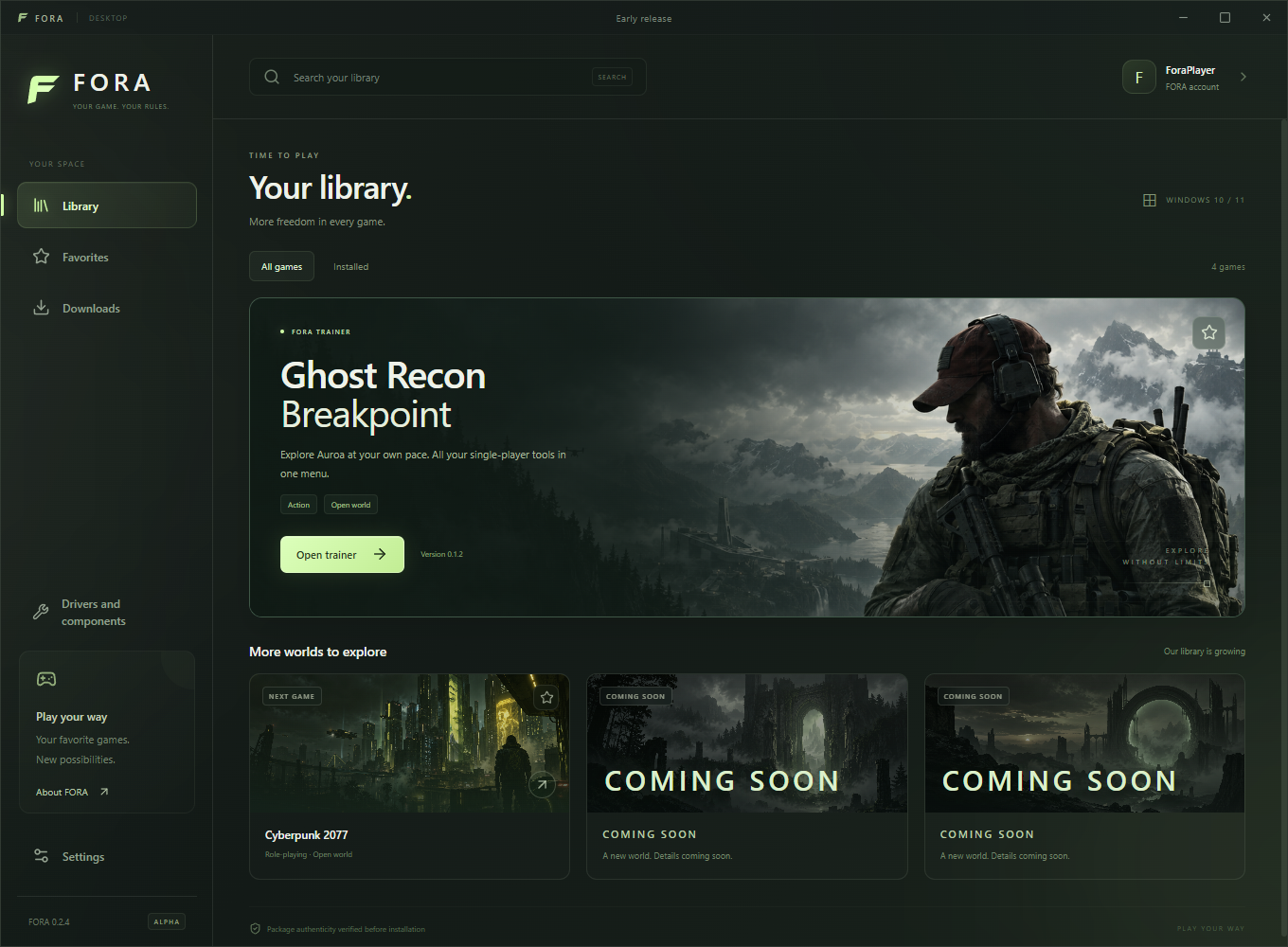
Keep your favorites close and find your installed trainers. Downloads happen one game at a time.
Install, launch, update, or remove a trainer from the same place. Less searching, more playing.
Set a nickname, choose tray behavior, and adjust startup and notifications to suit your routine.
INSIDE FORA
One app for your trainers.
A clear view of what’s installed.
The controls you need, within reach.
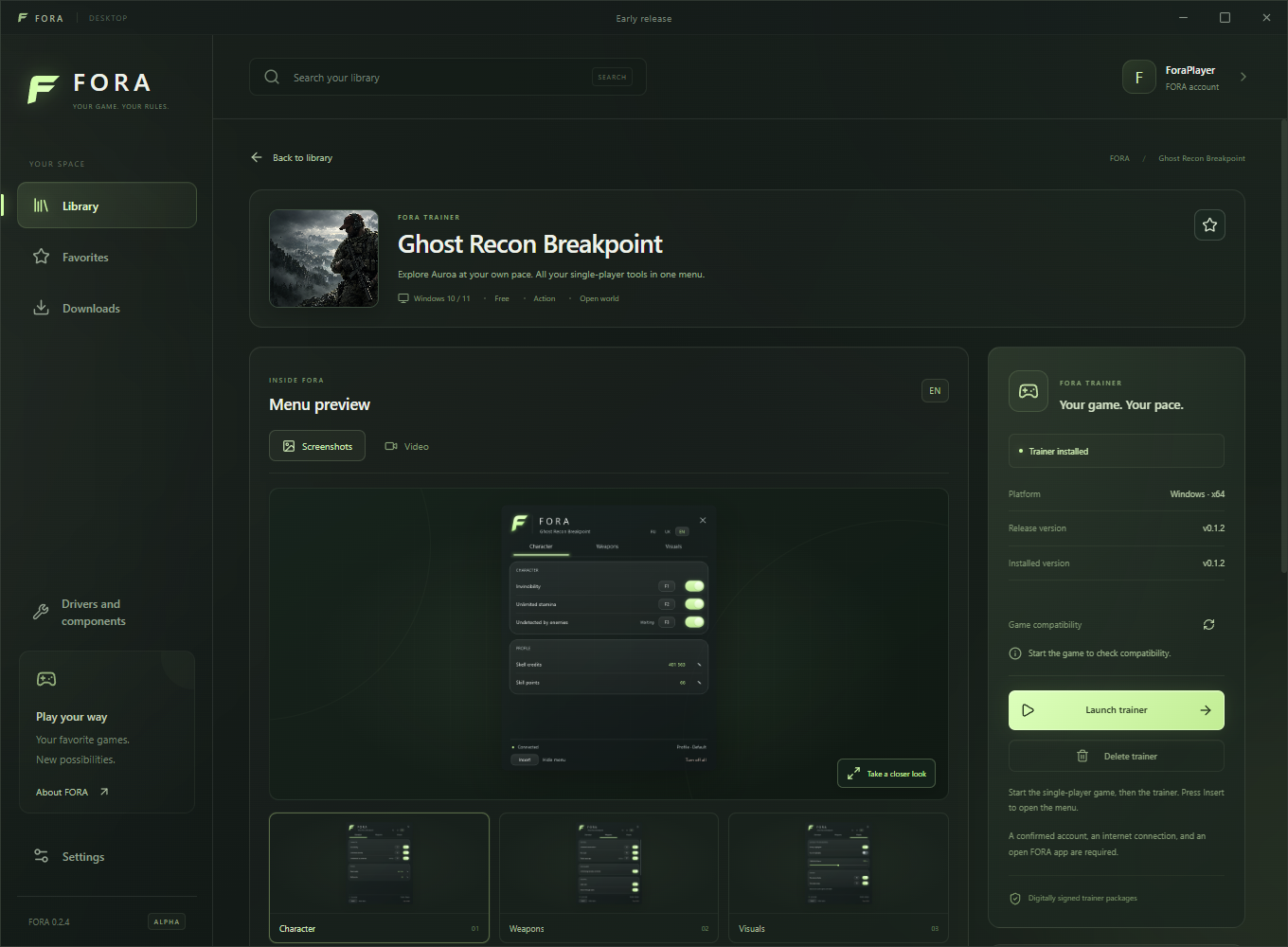
TRAINERS
See trainer features, installed versions and compatibility information in one place. Download only what you want to use.
FORA 0.2.4 · Demo profile
GET STARTED
Get the latest Windows release from GitHub and install the .exe file.
Sign in with a confirmed FORA account. Install a trainer available to your account.
Start the single-player game, then launch its trainer from FORA. Keep FORA open while you play.
A quick note: You’ll need Windows 10 or 11 (64-bit), a confirmed FORA account, and an internet connection.
WHAT’S NEXT
Ghost Recon Breakpoint is currently available as an account-specific trainer preview. Cyberpunk 2077 is next. More games will follow.
Check the app for current availability. Coming-soon titles cannot be downloaded yet.
Follow the latest on YouTubeGOOD TO KNOW
Trainers download separately inside FORA, so you only install the ones you use. Availability depends on your account and the current catalog.
Yes. Keep FORA running, stay signed in, and keep an internet connection while using a trainer. You can choose whether closing the window keeps FORA in the system tray.
FORA checks for launcher updates automatically and asks you to restart when an update is ready. Trainer updates are managed separately inside the app.
Visit Drivers and components inside FORA for official component and graphics-driver links. You can also copy details for support from Settings and report an issue on GitHub.
MAKE IT YOURS
The latest Windows release. Always.